FAQ

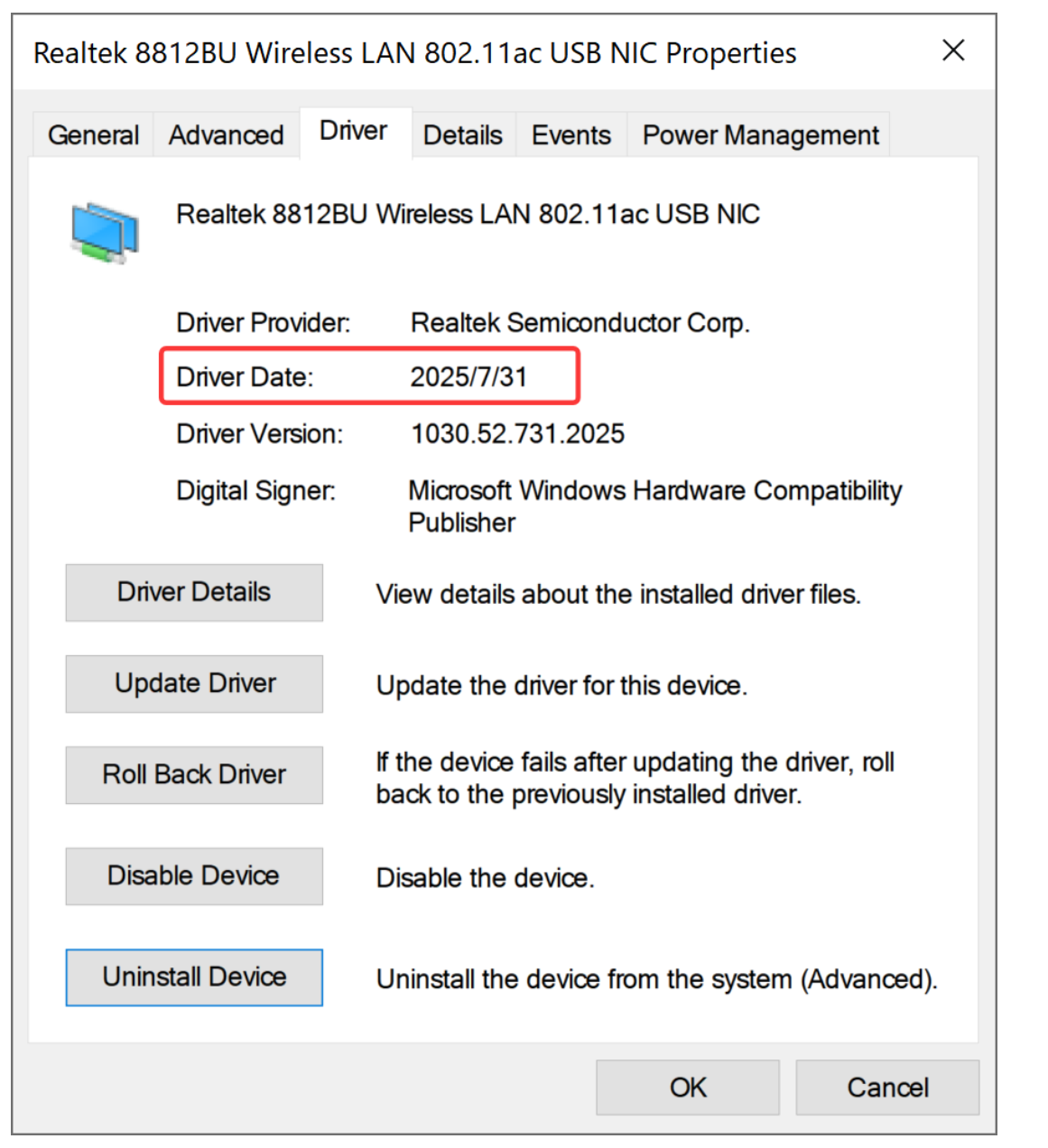
Because windows push a beta driver date 31/7/2025 ,this leads to continuoous disconnecting.
Please follow this step to uninstall the 31/7/25 driver,and hide it install automiacally.
If you don't know how to do it,please click the live chat with us.or call us +:1(888)991-1996 (Toll Free) or request a new model replacement.
Note:Step 5 is important (delete the driver software for the device first,Restart computer then all is ok, we recommend this
stable driver:https://www.ninepluswifi.com/20170912.zip
2026 Latest driver: https://www.ninepluswifi.com/20260109.zip
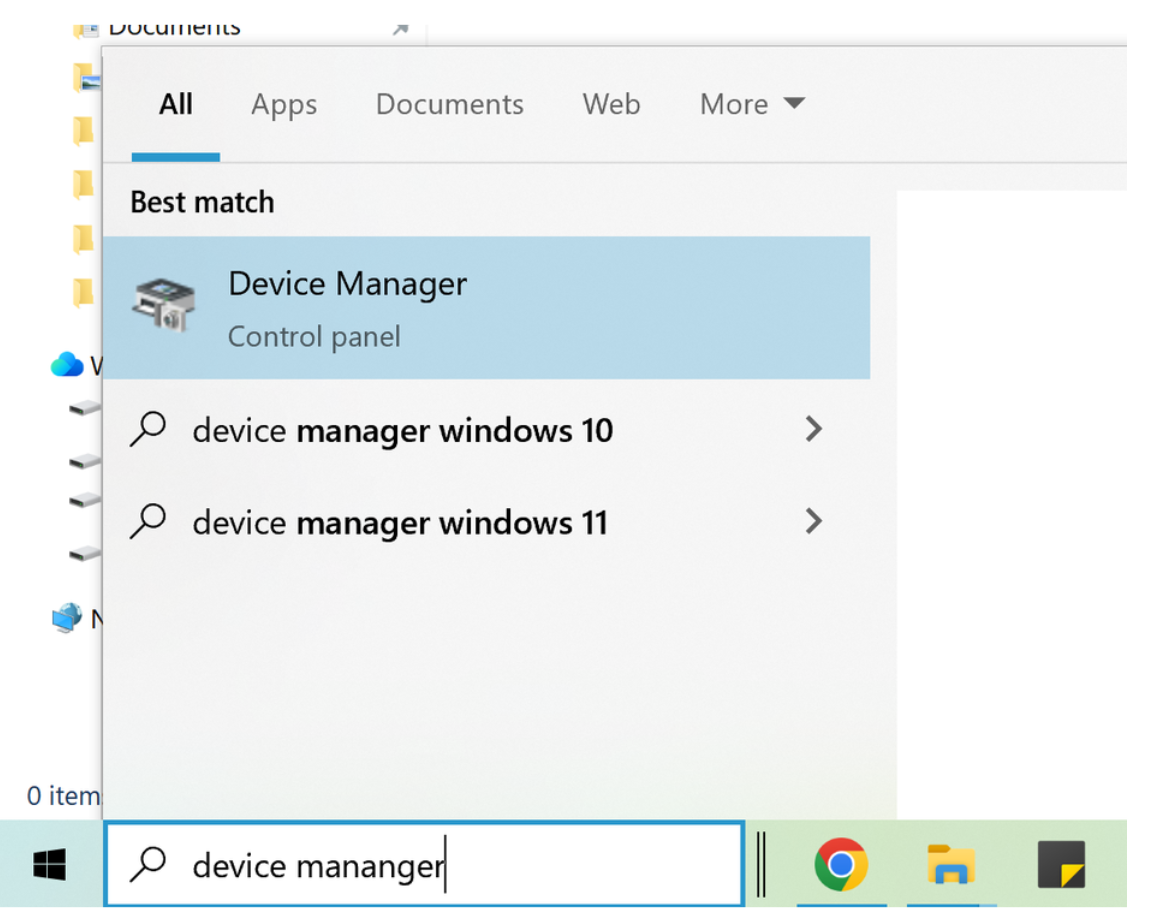
1.First type" device manager " on the search bar and left-click it
2.Go to Network Adapters Category and left-click the arrow to expand it
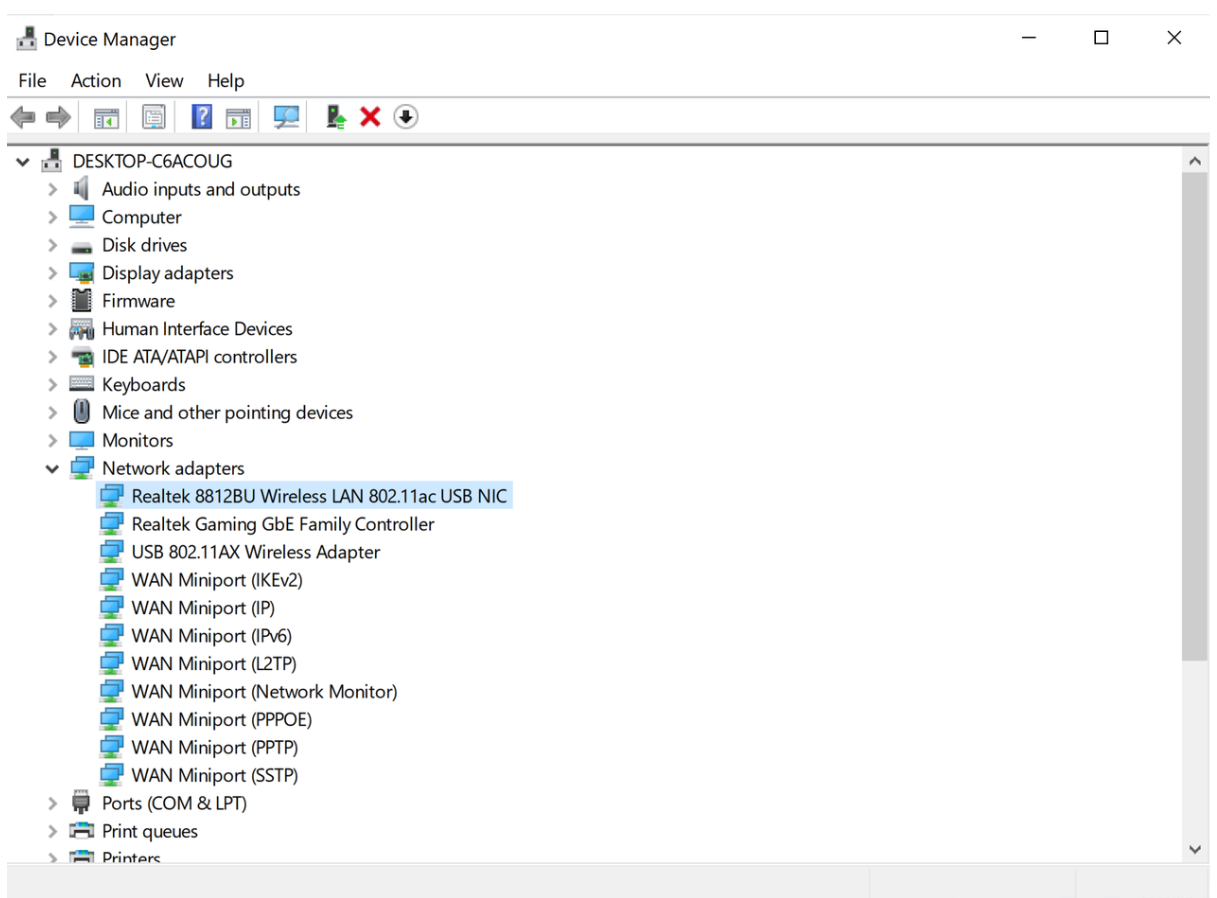
3.Find" Realtek 8812BU Wireless LAN 802.11ac USB Nic " and Right-click on it
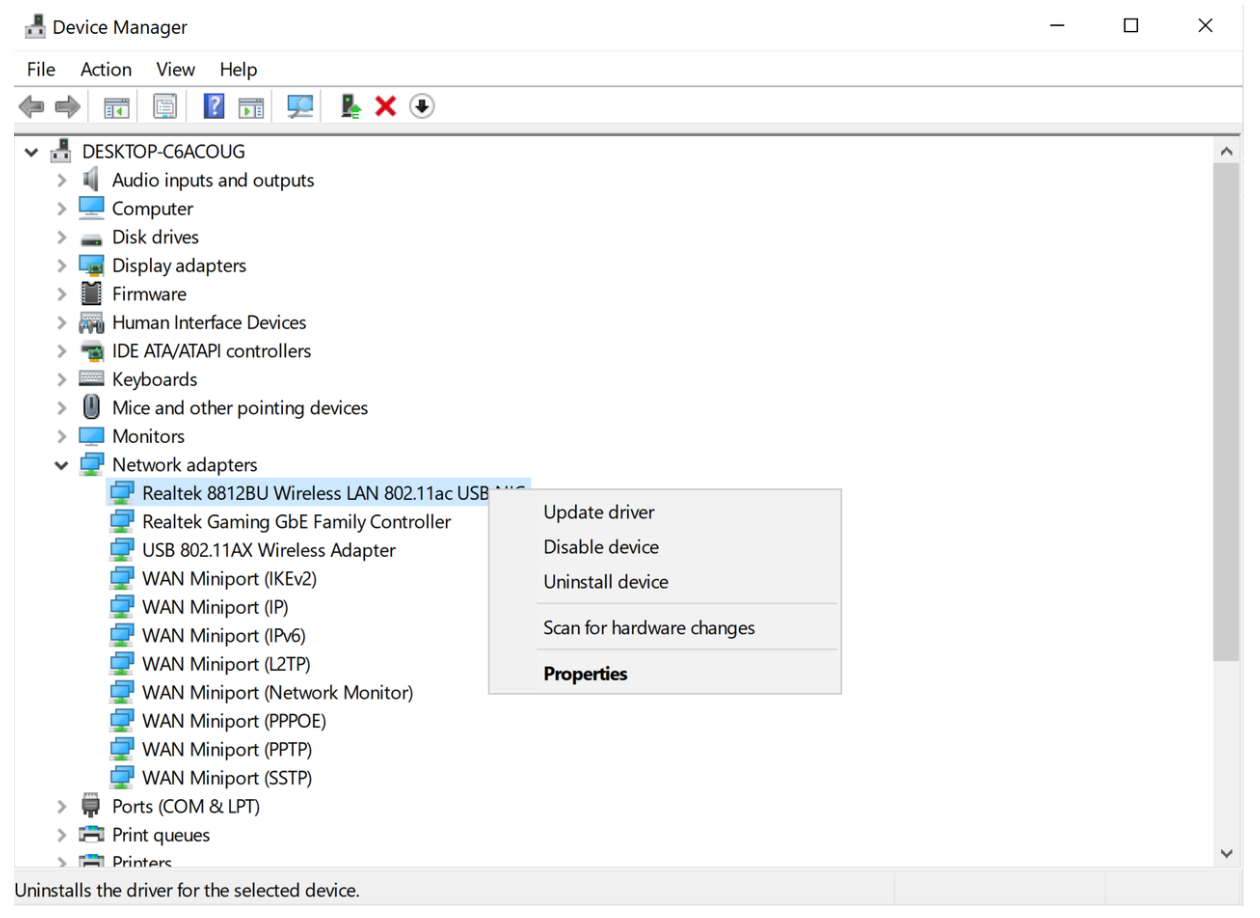
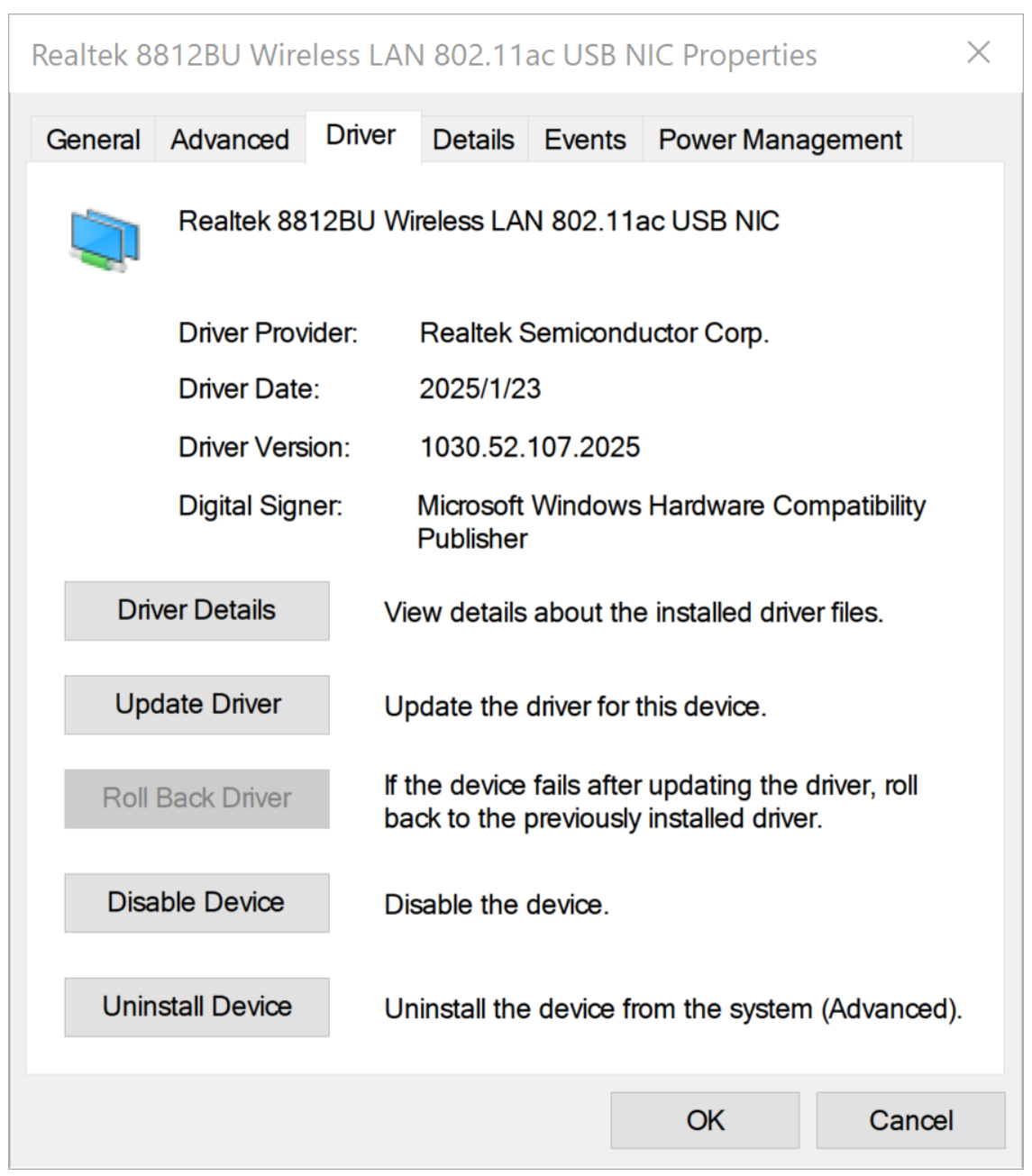
4.Go to" Properties ",and left-click on it , then left-click Driver and check Driver Date
If it is shown Driver Date :2025/7/31 (this date driver is not stable),Please left-click Uninstall Device
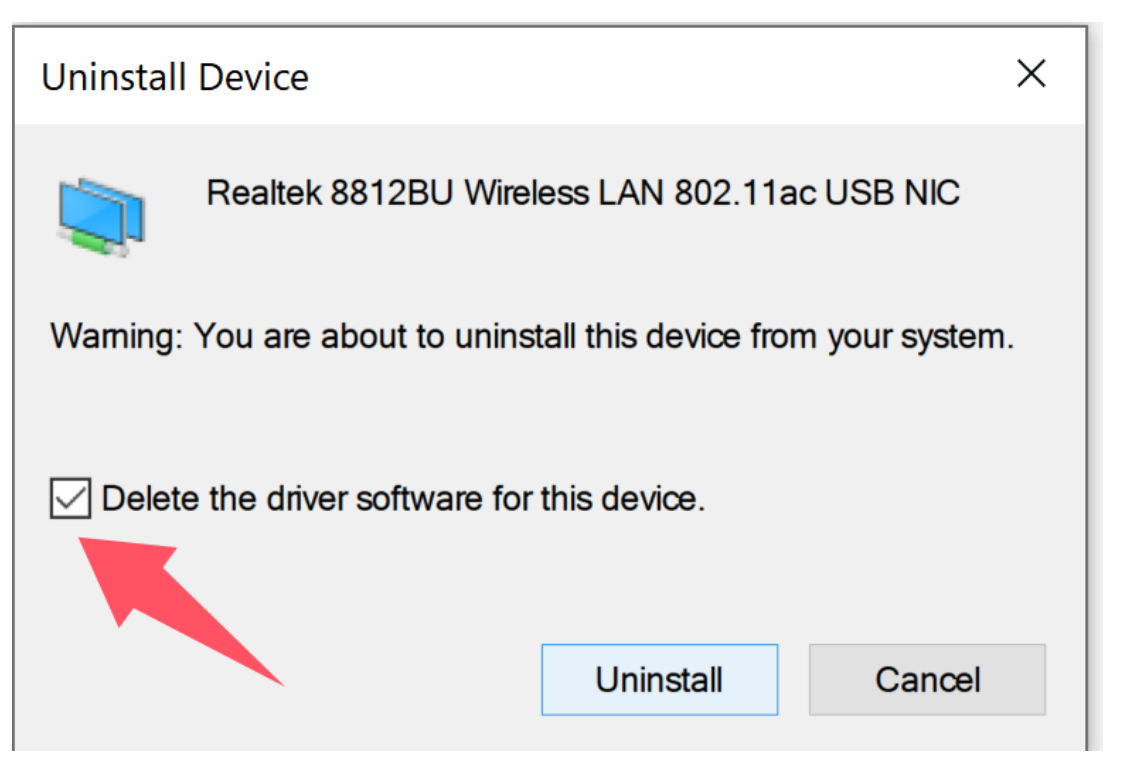
5.Please select Delete the driver software for this device and left-click Unistall
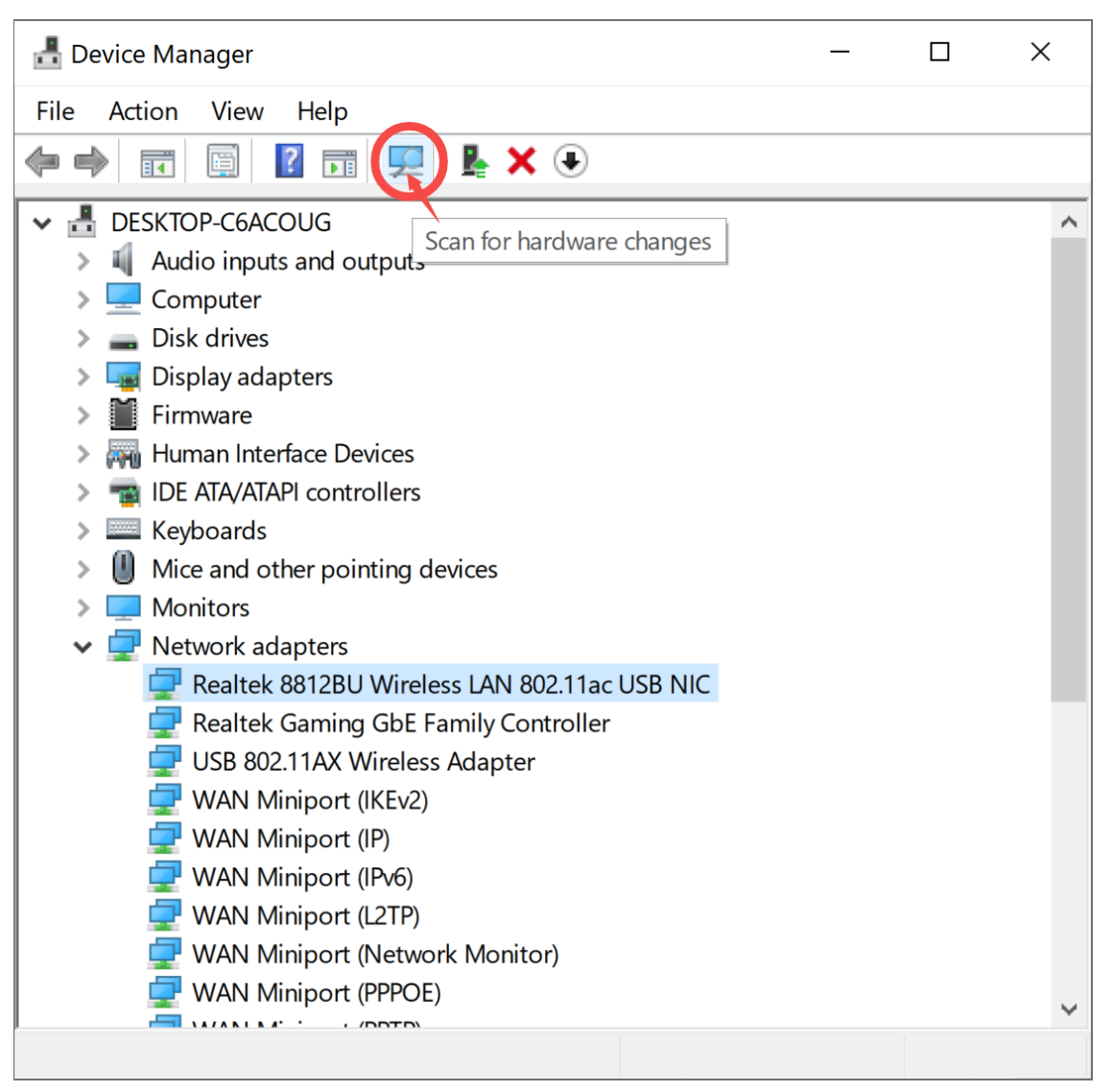
6.then left-click the icon (scan for hardware changes) on the device manager interface
7.then go to Network Adapters Category and Repeat steps 3 to 4 and check the driver's date again,
Note: Only Driver Date :2025/7/31 is not stable, others driver date is stable.
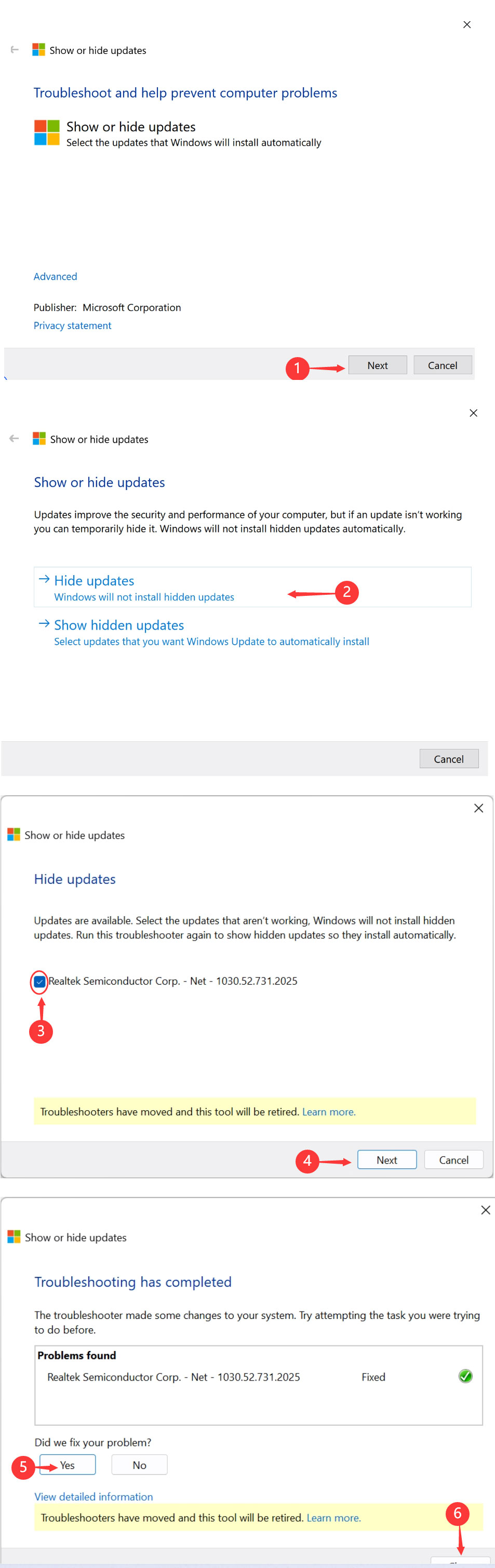
8.we don't want the windows to be updated on 31/7/2025 automatically again. So do next step
First let computer connect your internet again.
Download this tools: https://www.ninepluswifi.com/drivertools.zip
Double click this tools ,Click next
If you cannot do it succesfully, please call us to support or email us to request a new model, we also can do online fix it for you.
Customer Support


whatsApp Instagram
Email:onebigvip@qq.com
Phone/Text/whatsApp:+1(832)715-3986 (John)
Phone/Text/whatsApp:+1(408)457-4464 (Ayman)
Phone/Text/whatsApp:+1(281)914-9993 (Zihan)
Phone:+1-888-991-1996(Toll Free)
Online chat: www.ninepluswifi.com